|
|

Using Ping with CiscoRemote Plus
You can use the Ping application to test for the presence of other computers on the network. Ping is useful for situations when you want to find out if a particular server, such as a World Wide Web server or FTP server, is available.
You supply the Ping application with the IP address of a network server and Ping sends signals over the network to determine if the resource is active. The process of sending such network signals is called pinging.
Make sure you have the name or the IP address of the server or device you want to access. If you don't have this information, contact the network administrator or user whose system you want to ping.
Take the following steps to open Ping:
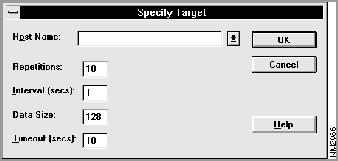
Figure 14-2 : Specify Target Window
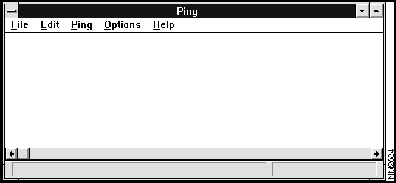
The ping results appear in the Ping window. To ping the server or device again, open the Ping menu and click on the name or IP address.
For more information about Ping, refer to the document CiscoRemote Plus Administrator Guide, which is available on the CiscoRemote Plus CD. You can also use Ping to do the following:
Copyright 1988-1996 © Cisco Systems Inc.