


|
|

This chapter provides detailed instructions for installing the FastHub 112F on a table, shelf, or in a rack, and connecting the FastHub 112F to the network.
After unpacking the FastHub 112F and ensuring all items are included (see the "Introduction" chapter for a packing list), the first step is to mount the FastHub 112F on a rack, shelf, or table.
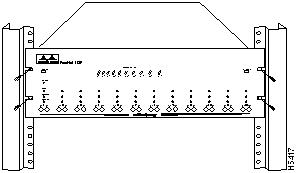
Rackmount ears are integrated on the FastHub 112F front panel for maximum support and ease of installation. To install the FastHub 112F in a rack, follow these steps.

Figure 3-1 FastHub 112F Installed in a Rack
The Power LED will turn on and the FastHub 112F will begin operation.
Follow these instructions to install the FastHub 112F on a table or shelf.
The Power LED will turn on and the FastHub 112F will begin operation.
To connect 100Base-FX-compatible devices to the FastHub 112F, follow these instructions:
Figure 3-2 Inserting the ST Connector
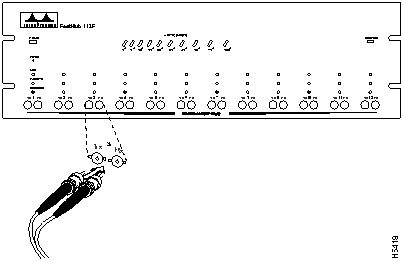
The Link LEDs light when both FastHub 112F and the connected devices are turned on. If the Link LEDs do not light, there may be a cable problem or a problem in the attached device. (Refer to the "Troubleshooting" chapter for more details.)
After these devices are connected, you can connect FastHub 112F to the rest of your network.

|
Copyright 1988-1996 © Cisco Systems Inc.