


|
|
Deinstalling the EISA SCO Adapter Software
At some point you may want to deinstall the EISA SCO adapter software, for example, if you want to remove the adapter from a workstation. Deinstallation of the adapter software is separated into two steps:
Both procedures are discussed in detail in the following sections.
To remove the chain in the kernel:
Currently configured chains:
   1. nfs->sco_tcp
  nfs  SCO NFS Runtime System for SCO Unix
  sco_tcp  SCO TCP/IP for UNIX
   2. sco_tcp->lo0
  sco_tcp  SCO TCP/IP for UNIX
  lo0  SCO TCP/IP Loopback driver
   3. sco_tcp->fddi0
  sco_tcp  SCO TCP/IP for UNIX
  fddi0  CISCO FDDI driver, board 0
Available options:
   1. Add a chain
   2. Remove a chain
   3. Reconfigure an element in a chain
   q. Quit
Select option: 3
Currently configured chains:
   1. nfs->sco_tcp
  nfs  SCO NFS Runtime System for SCO Unix
  sco_tcp  SCO TCP/IP for UNIX
   2. sco_tcp->lo0
  sco_tcp  SCO TCP/IP for UNIX
  lo0  SCO TCP/IP Loopback driver
   3. sco_tcp->fddi0
  sco_tcp  SCO TCP/IP for UNIX
  fddi0  CISCO FDDI driver, board 0
Select a chain to remove ('q' to quit): 3
Remove sco_tcp->fddi0 (y/n) : y
           Removing sco_tcp->fddi0
   Removing fddi0...
   irq= slot=
Currently configured chains:
   1. nfs->sco_tcp
  nfs  SCO NFS Runtime System for SCO Unix
  sco_tcp  SCO TCP/IP for UNIX
   2. sco_tcp->lo0
  sco_tcp  SCO TCP/IP for UNIX
  lo0  SCO TCP/IP Loopback driver
Available options:
   1. Add a chain
   2. Remove a chain
   3. Reconfigure an element in a chain
   q. Quit
Select option: q
Do you want to relink the kernel now? y
          The UNIX Operating System will now be rebuilt.
  This will take a few minutes.  Please wait.
  Root for this system build is /.
  The UNIX Kernel has been rebuilt.
Do you want this kernel to boot by default? (y/n) y
Backing up /unix to /unix.old
Installing new /unix
The kernel environment includes device node files and /etc/inittab.
The new kernel may require changes to /etc/inittab or device nodes.
Do you want the kernel environment rebuilt? (y/n) y
The kernel has been successfully linked and installed.
  To activate it, reboot your system.
Setting up new kernel environment
#
When the command line prompt reappears, the netconfig utility is complete. To remove the adapter files, continue with the following section.
Use the SCO Custom configuration utility to remove the SCO adapter driver files.
# custom
Figure A-1 Initial Custom Screen
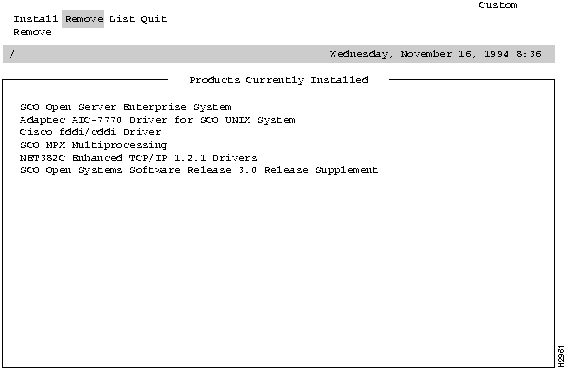
Figure A-2 Existing Driver Screen
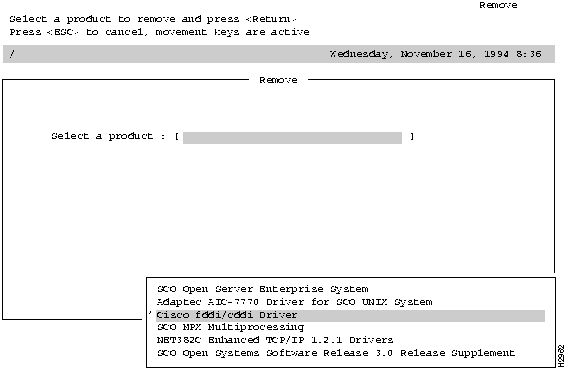
Figure A-3 Select Part of Product Screen
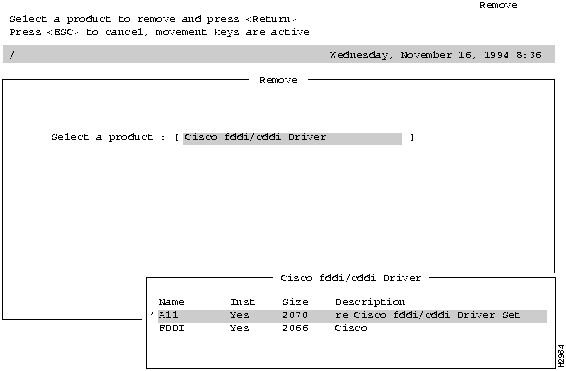
Figure A-4 Driver Removal Confirmation Screen
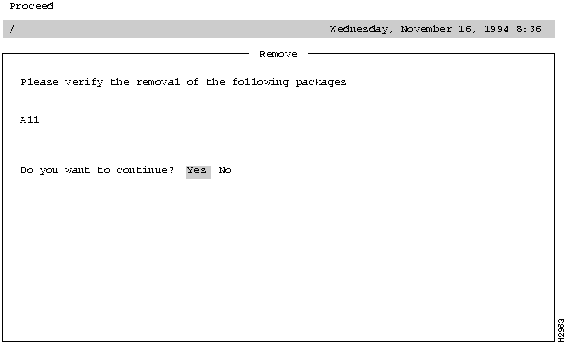
Figure A-5 Custom Utility Initial Screen
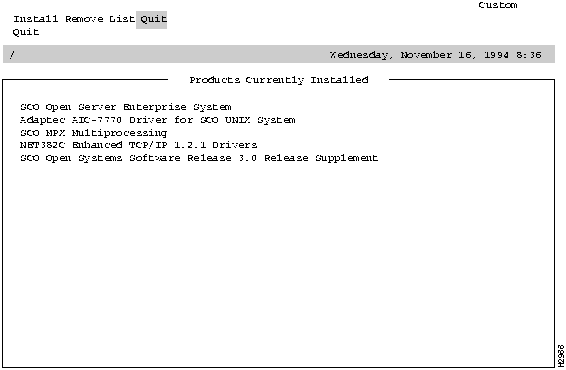
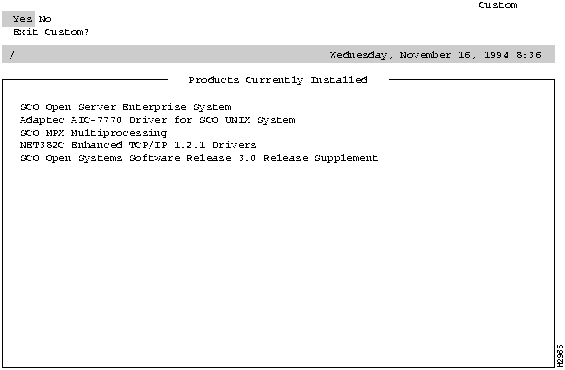
Figure A-6 Custom Utility Confirmation Screen
That completes the deinstallation process.

|
Copyright 1988-1995 © Cisco Systems Inc.